Before you start
This tutorial assumes that you already have a Counselling Buddy account. It is not necessary for this tutorial, but it is recommended that you follow the Getting set up help centre guide, which will help you set up your session types, customise the contents of your reminder emails and more.
Video walkthrough
Visual learner? The below video will walk you through the steps you need to take to find and edit your session reminder settings, and how you can change when they are sent. If you would prefer to work through the written guide, please scroll past this video.
How to schedule a session and send a confirmation email
Find your Session Reminder settings
Your session reminder settings can be found under the notification tab of the settings page. or by following this link.
Once you reach the notifications tab, you need to scroll down until you see Session Reminders. What you see will depend
on whether your Session Reminders Master Toggle is turned on or off.
Good to know: None of the changes you make will apply until you click save changes.
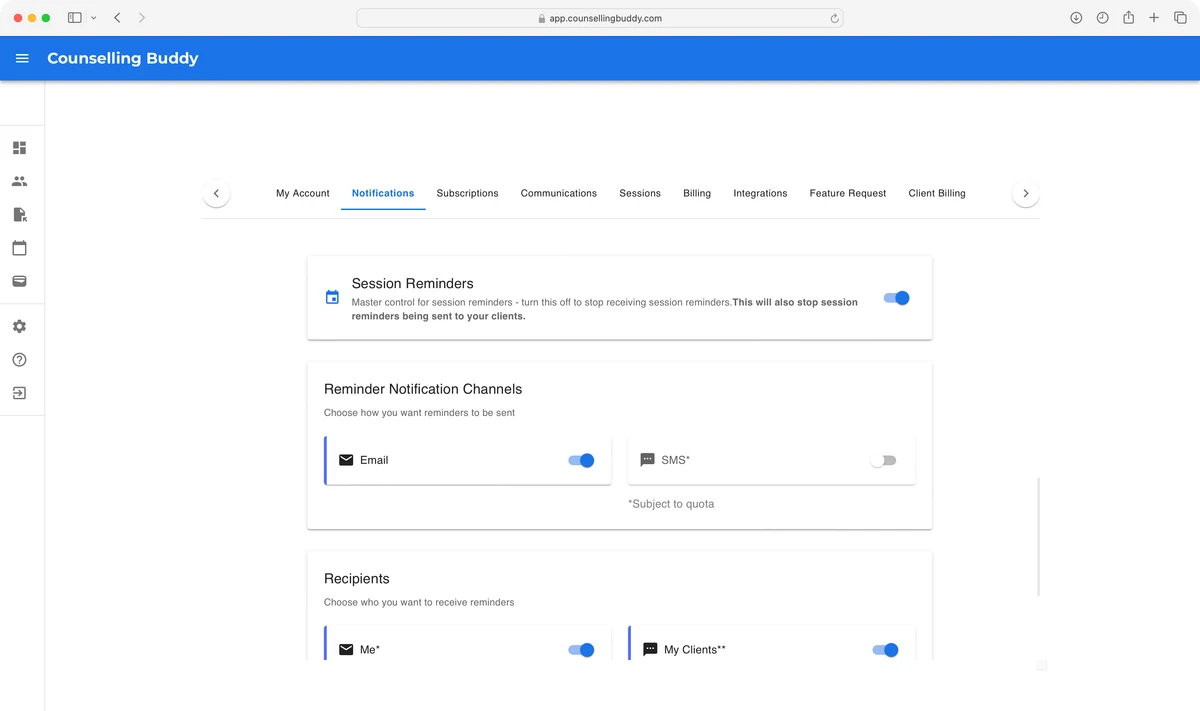
You should see something like the below. In the below example the master toggle for session reminders is turned on - you can tell because the switch to the right is showing in blue, rather than gray, and the session reminder settings can be seen below.
Find the Session Reminder Interval settings
Once you have found the session reminder settings, scroll past Notification Channels and Recipients. You should
see a box with a dropdown, labelled Session Reminders.
Good to know:
This is the same interface that can be used to override your
session reminder settings on a per-session basis when scheduling a session, via the More Options dropdown.
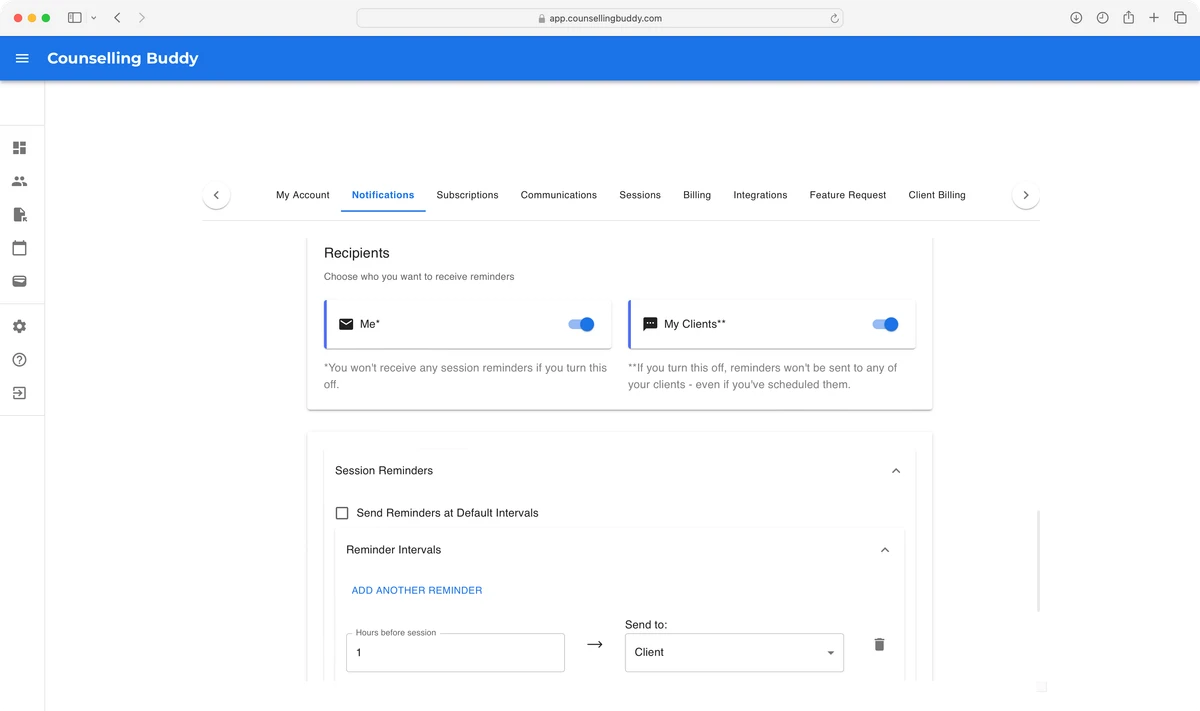
Expand the Session Reminders dropdown, by clicking on it. You should see a checkbox labelled Send Reminders at Default intervals.
Unchecking this checkbox will show the dropdown for Reminder Intervals. You can expand the Reminder Intervals dropdown,
by clicking on it.
Once expanded, inside of the Reminder Intervals dropdown, you should see the session reminder intervals in hours before the
session, as well as who each reminder is sent to (you or your client).
The below image shows what you should see by default.
How to change when Session Reminders are sent
Once you have found the session reminder interval settings, as pictured above, changing the reminders is simple. If you would like to remove a reminder, you just need to click the gray bin icon to the right-hand side of the reminder.
If you would like to edit an existing reminder, you can change the number in the Hours before session box to change when the
reminder is sent, or change the value in the Send to dropdown to change who the reminder is sent to (you or your client).